
Hospital HR & Payroll Software
Doctors, nurses and staff on one payroll. Attendance and leave from every shift, doctor commission paid in the same run as salary, income tax, EOBI and PESSI or SESSI worked out for you, payslips for everyone, and each month posted to the hospital's own ledger.
15-day free trial · Read the step-by-step HR & Payroll guide →
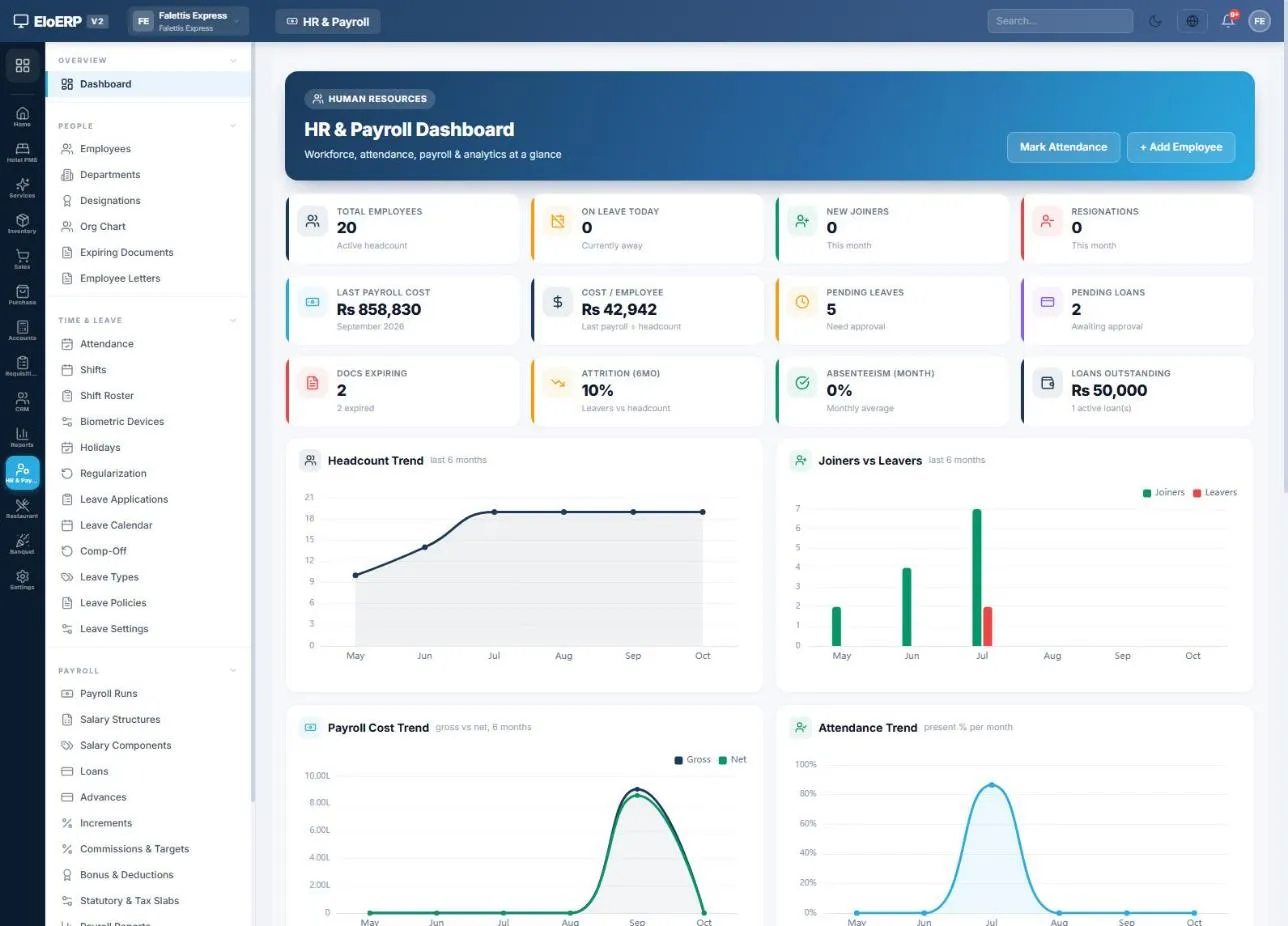
What hospital HR and payroll software does
It keeps every employee's record, attendance and leave, and turns them into a correct monthly payroll: salaries, absence deductions, overtime, income tax, EOBI and social security, loans and advances, then payslips and payment. A hospital adds two things a shop or office does not have: doctors paid by salary, by commission or both, and staff working around the clock. In EloHIMS the doctor's record and the employee record are linked, so both are handled in one run.
HR & Payroll runs on the same Elo platform as EloHIMS, so the screenshots on this page show that platform's HR module, with a demo company's data and the EloERP name in the corner.
Every doctor is also an employee, set up once
When a doctor is created in EloHIMS, they are added to HR as an employee by default: designation Doctor, an HR department named after their first clinic (or Medical), and their own login linked. The "Also add to HR" tick can be cleared, and if adding the employee fails the doctor is still saved and the reason is shown. A doctor who already exists gets a Create employee button, and asking twice links the same employee.
Each doctor's record has a Paid by field: salary, commission or both. Nurses, technicians, pharmacists and admin staff are added in HR like any other employee. All of this appears where HR & Payroll is part of the hospital's plan.
Doctors punch in from My Day
A doctor whose login is linked to an employee record sees a punch chip in the header of My Day, the screen they already work from.
Doctor commission paid in the payroll run, never twice
Where the hospital accrues doctor commission on its bills, each bill books the doctor's share as an expense and an amount payable to the doctor when it posts (see billing and doctor commission). HR adds a commission rule type called Hospital doctor commission that brings that money into payroll.
- Picked up by the run: the doctor's accrued commission up to the month end, less any clawback from a voided bill that was already paid, appears as a line on their payroll.
- Reserved to the run: those entries cannot also be paid out from the commission statement, and re-applying the run does not double them.
- Not expensed twice: on posting, the commission line clears the doctor commission payable; only the rest of the pay is booked as salary expense.
- Marked paid: once posted, the entries are paid and open clawbacks settled, so the payable nets to zero.
A doctor's salary, their commission from the month's bills and their attendance land in one payroll run, and one posting settles them in the hospital's books.
Attendance and leave for shift work, straight into pay
Mark attendance daily, bulk-mark a ward team, import a CSV or sync from a biometric device. Whatever is recorded flows into that month's salary.
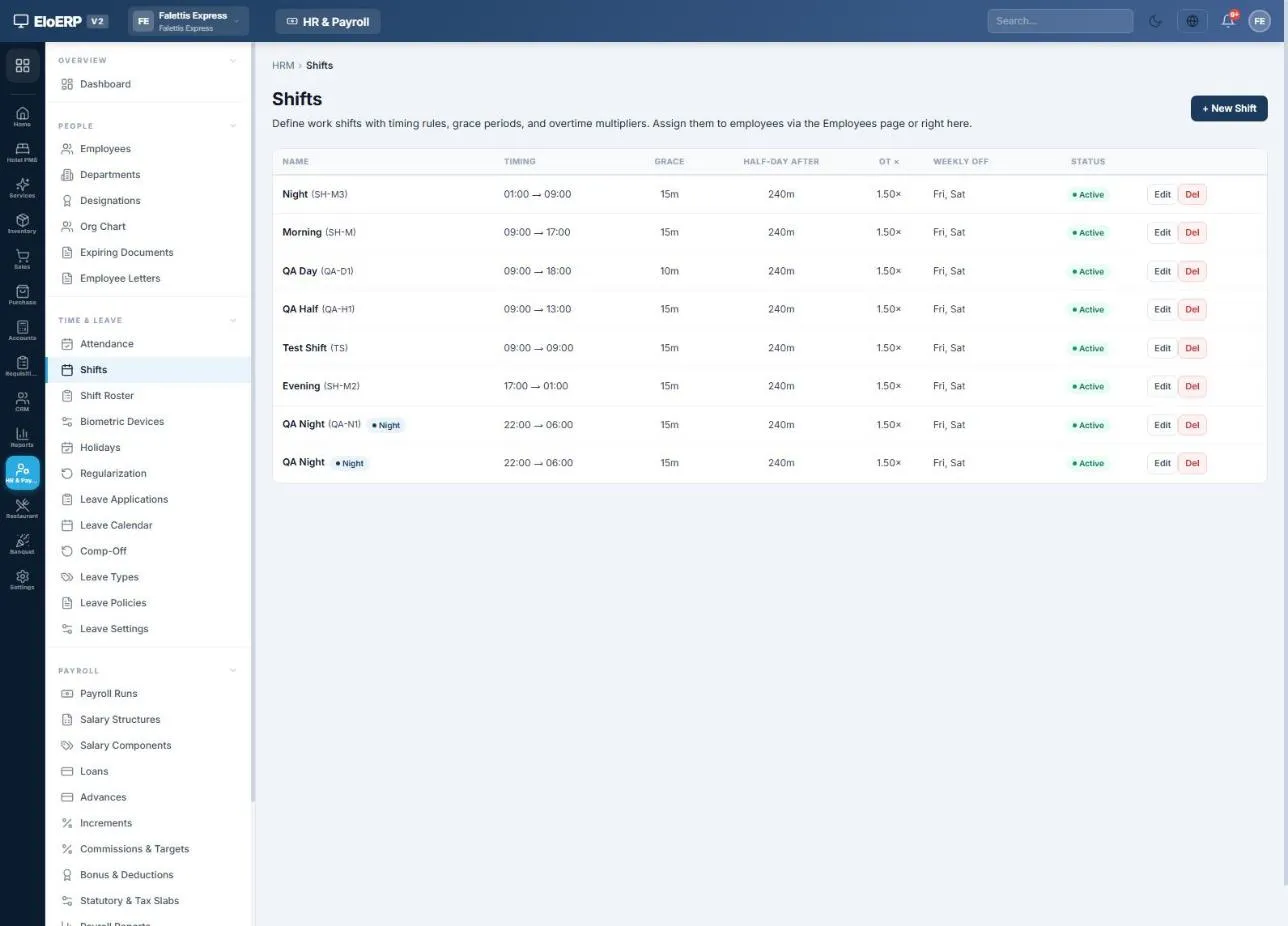
- Shifts with their own timings, grace minutes, a half-day threshold and an overtime multiplier.
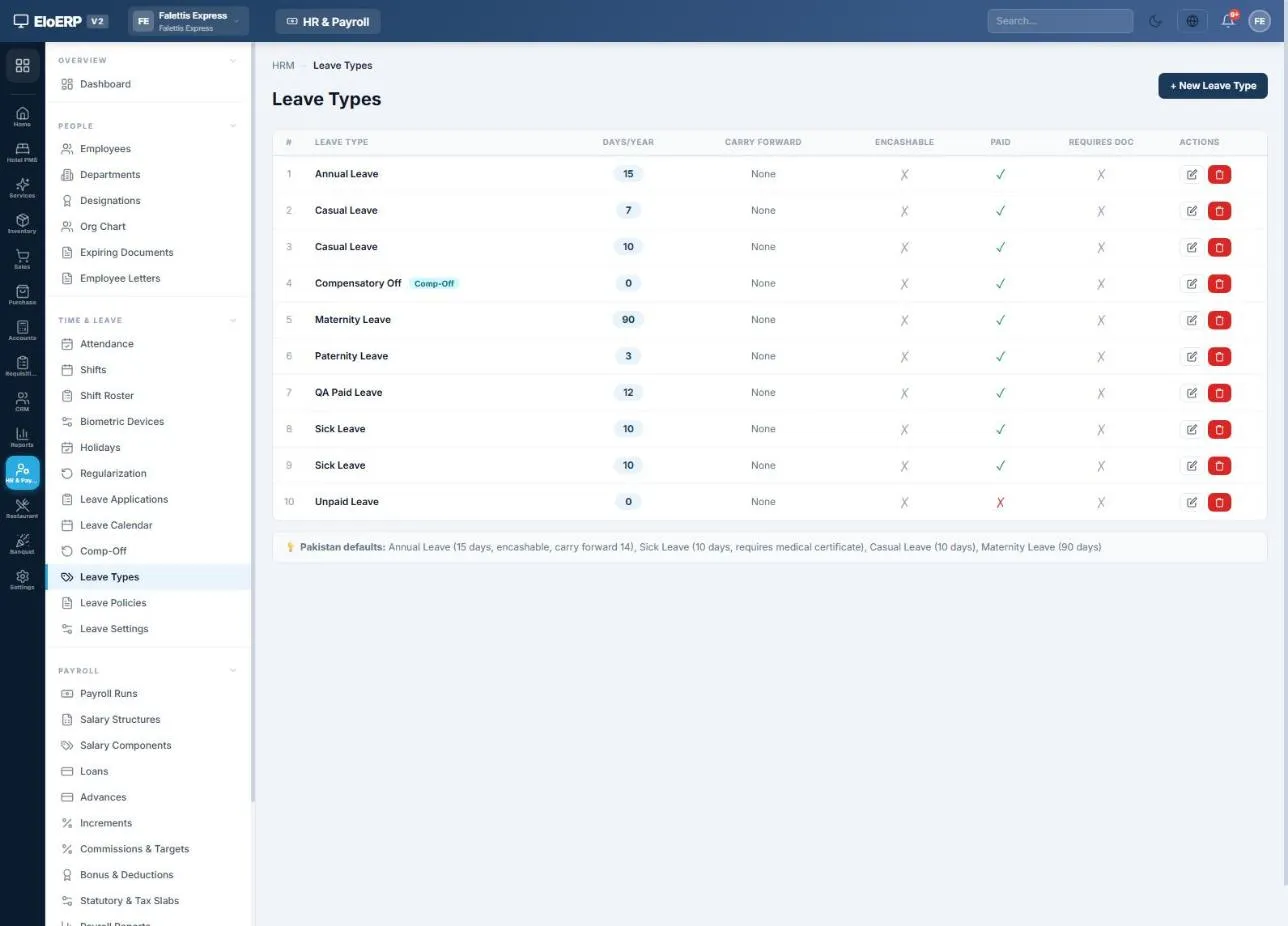
- Leave types with days per year, paid or unpaid, carry-forward and encashment; leave applications approved against your leave policies.
- Public holidays left out of working days (Pakistan's national list loads with one button).
- Missed punches fixed through regularization requests that rewrite the day once approved.
| What happens | Effect on pay |
|---|---|
| Absent on a working day | One day's pay deducted (monthly gross ÷ working days) |
| Half day | Half a day's pay deducted |
| Paid leave / unpaid leave | No deduction / deducted like an absence |
| Late arrival or early leaving | Optional fines, with grace minutes and free occurrences |
| Overtime | Paid at your multiplier, if switched on |
| Joined or left mid-month | Salary prorated automatically |
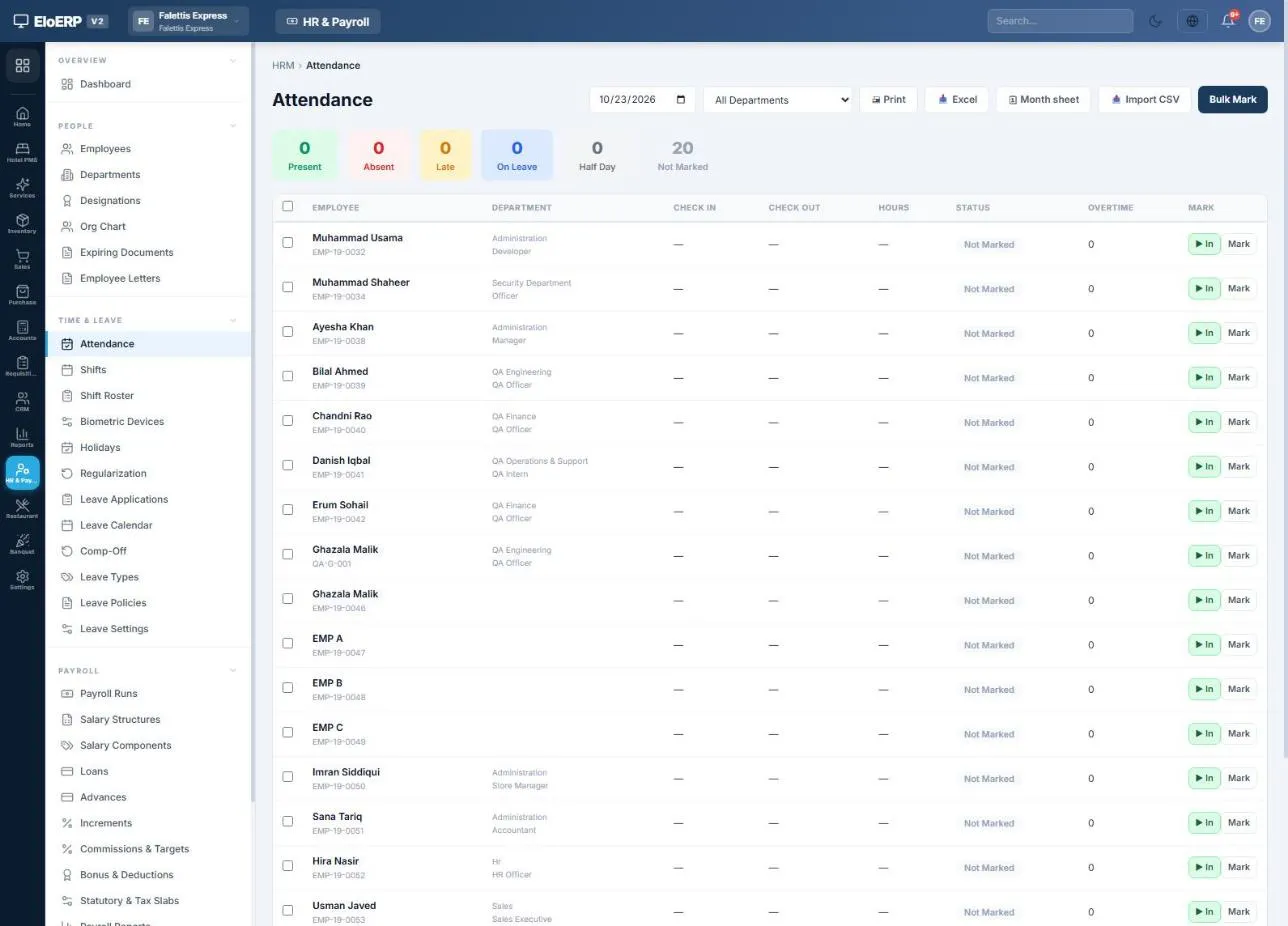
Attendance: mark one employee, bulk-mark many, import a CSV or open the month sheet.
One payroll month, start to finish
Setup is done once. After that the same eight steps run every month, and each one carries into the next.
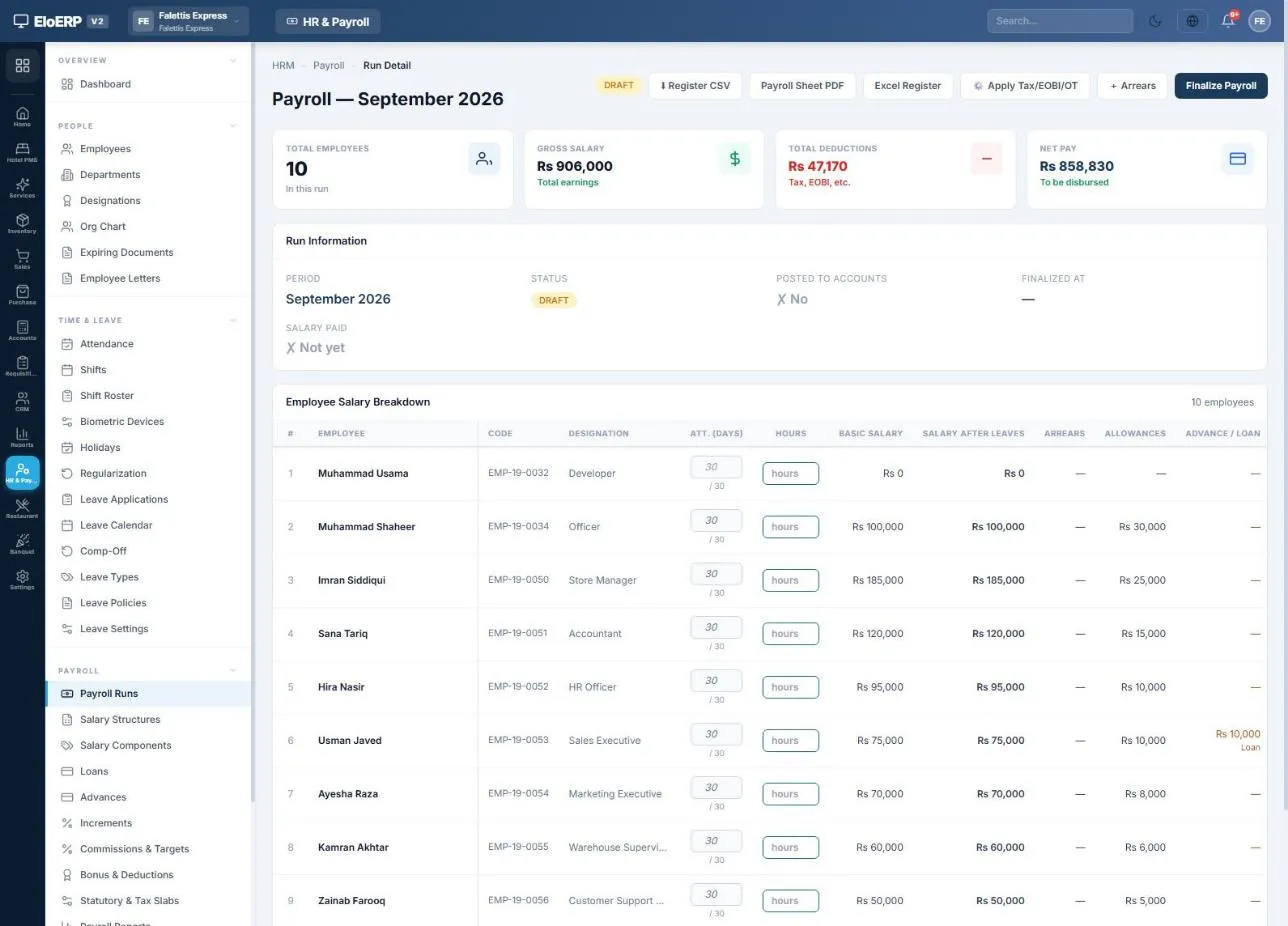
1 · Generate, 2 · Apply tax, EOBI and OT. Absences, half days, late fines, unpaid leave, overtime, commissions, EOBI, PESSI, provident fund and income tax for every employee. Safe to press again after any change.
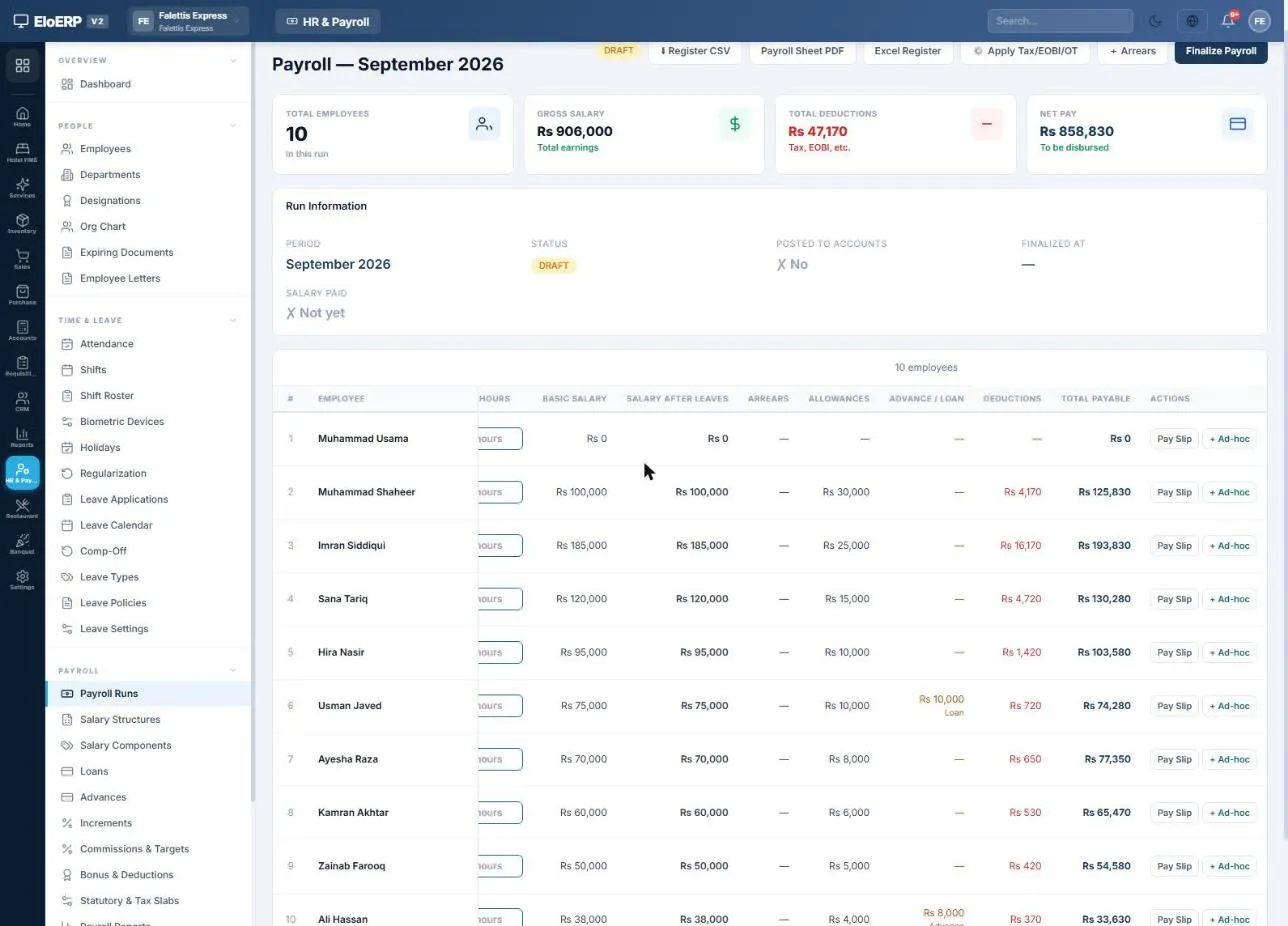
Adjust the draft: type paid days, add a one-off bonus or deduction, pay backdated raises as arrears, and preview any payslip. 3 · Finalize locks the run.
Income tax on salary, worked out from your tax slabs
Enter the tax year's slabs for salaried employees once. On every run, each employee's taxable pay is annualised, the slab applied and one-twelfth of the annual tax withheld. When a new tax year starts, add its slabs and the next run uses them. A taxable flag on each earning decides what counts towards income tax.
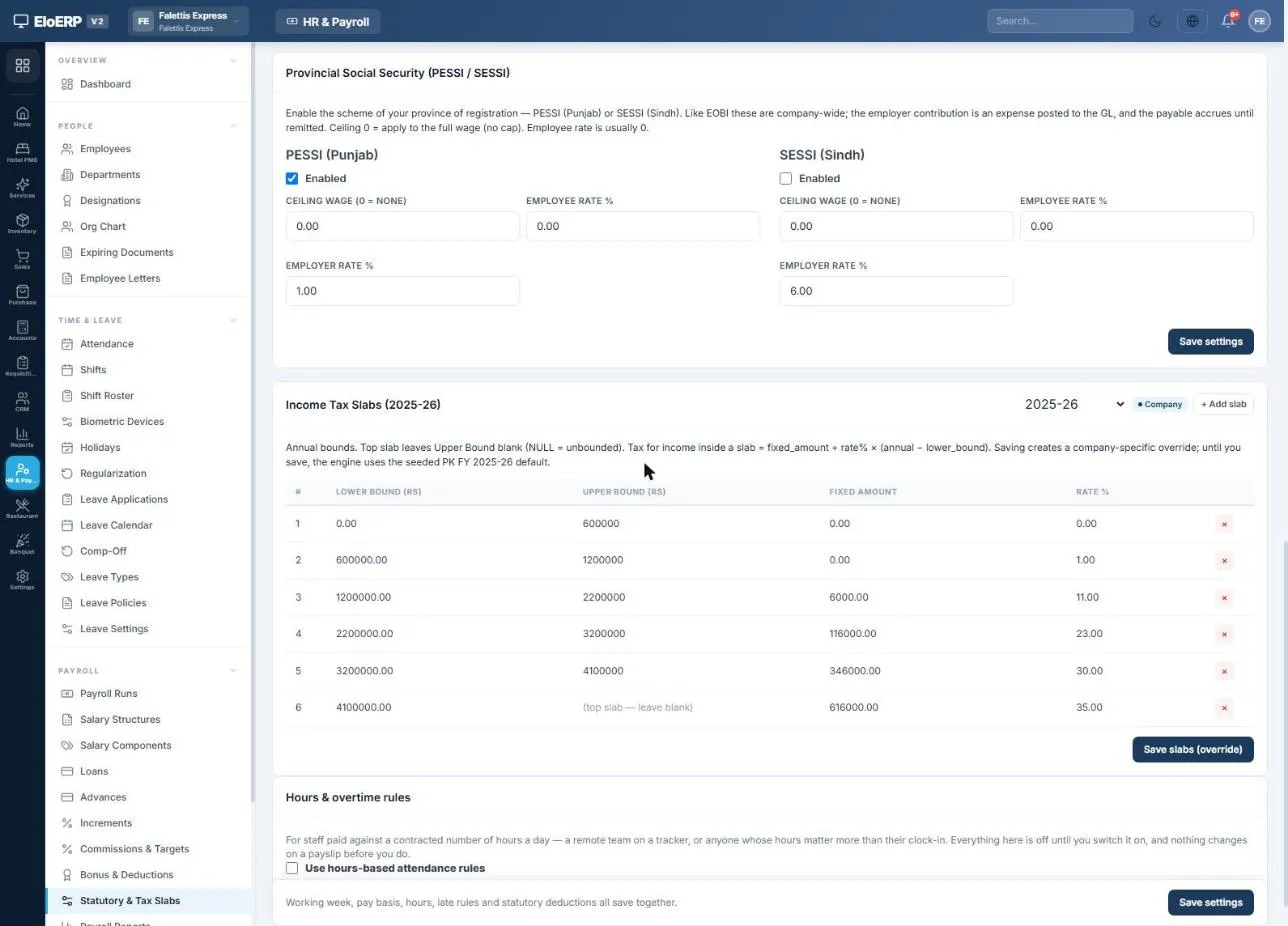
Income tax slabs (Pakistan, 2025-26) for salaried individuals, entered once and applied on every run.
EOBI, PESSI and SESSI for hospital staff
Set the EOBI ceiling wage and the employee and employer percentages once. The employee share is deducted from salary and the employer share booked as a hospital expense, both worked out on gross pay up to the ceiling.
- Example settings: ceiling Rs 37,000, employee 1%, employer 5%. Change them when the rates change.
- PESSI (Punjab) or SESSI (Sindh) social security, usually employer-only, on full wages unless you set a ceiling.
- Provident fund with optional employee and employer percentages, and gratuity by days per year of service for final settlement.
- EOBI contribution list, WHT statement and return, Section 149 tax deduction certificates, and salary bank files for HBL, UBL and MCB.
Outside Pakistan, the hospital enters its own salary components and tax slabs and switches off what does not apply.
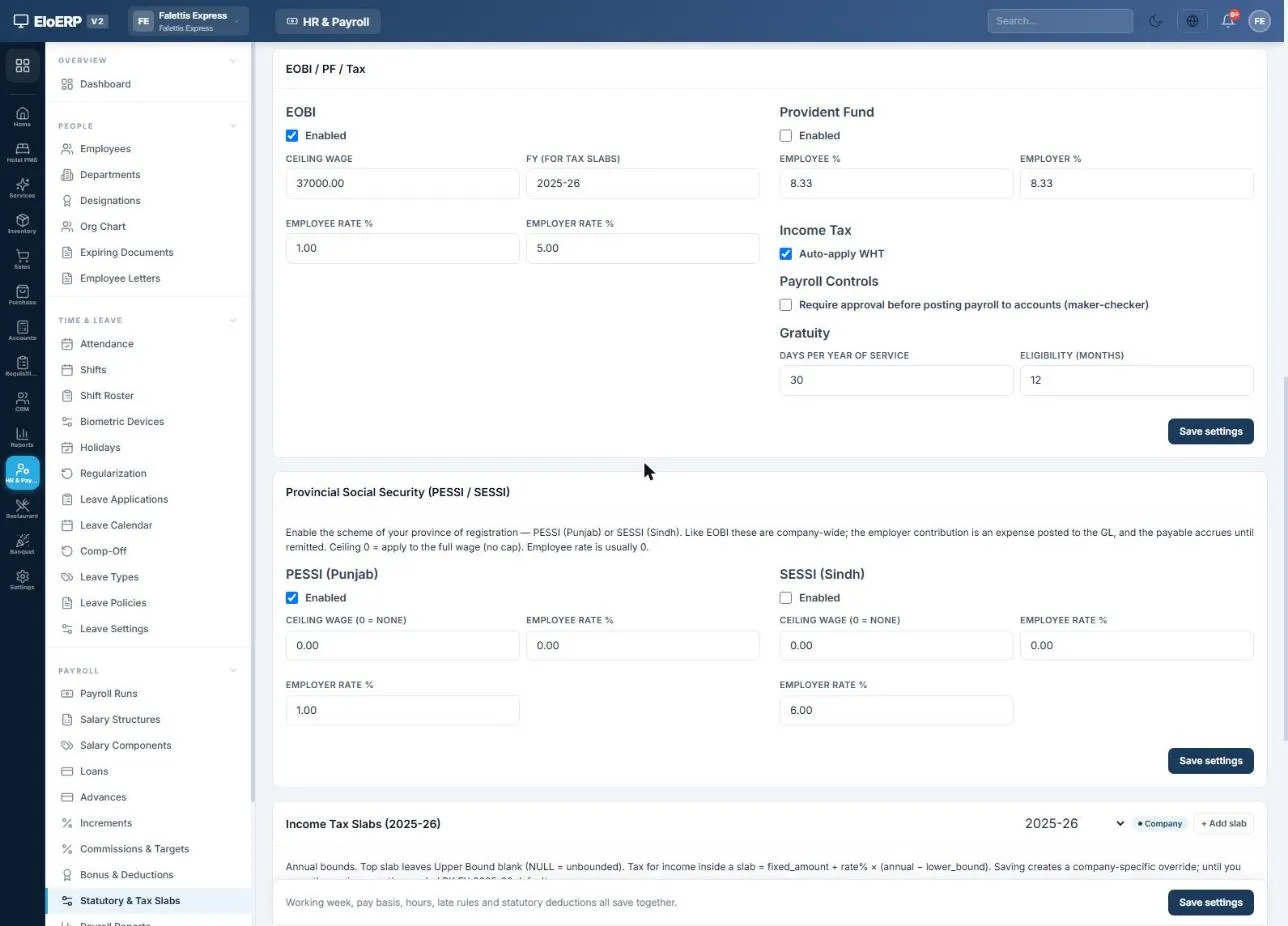
EOBI, provident fund, income tax and provincial social security settings.
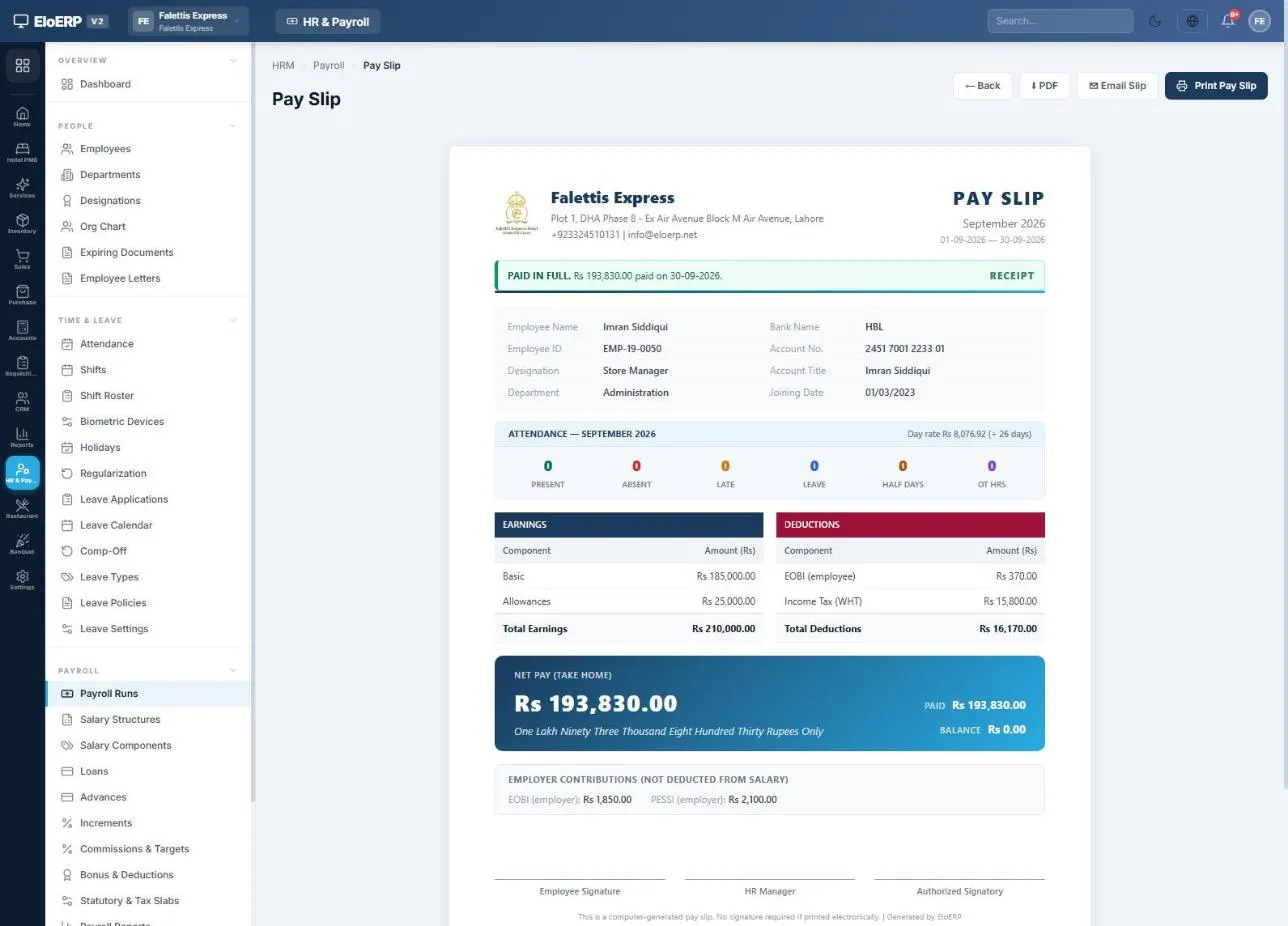
Salary slip: net Rs 193,830 paid in full; employer EOBI and PESSI shown but not deducted.
A payslip for every doctor, nurse and staff member
Payslips are generated when the run is finalized. Each shows earnings, deductions, attendance, net pay in words, payment status and the employer's contributions.
- PDF or print any slip, or download a whole month's slips in one PDF.
- Email the slip once salary is paid, or send slips automatically on payment.
- My HR Portal: employees with a login see their own slips, leave balances, attendance and loans. A doctor's login reaches their employee record through the doctor record.
- Salary certificates and letters (appointment, experience, bank and increment letters) on your letterhead.
Staff loans and salary advances, recovered from salary
Approve a loan or advance and pay it from bank or cash; the schedule is built for you. Each payroll run deducts the instalment until it is cleared, and every movement lands on the employee's own ledger.
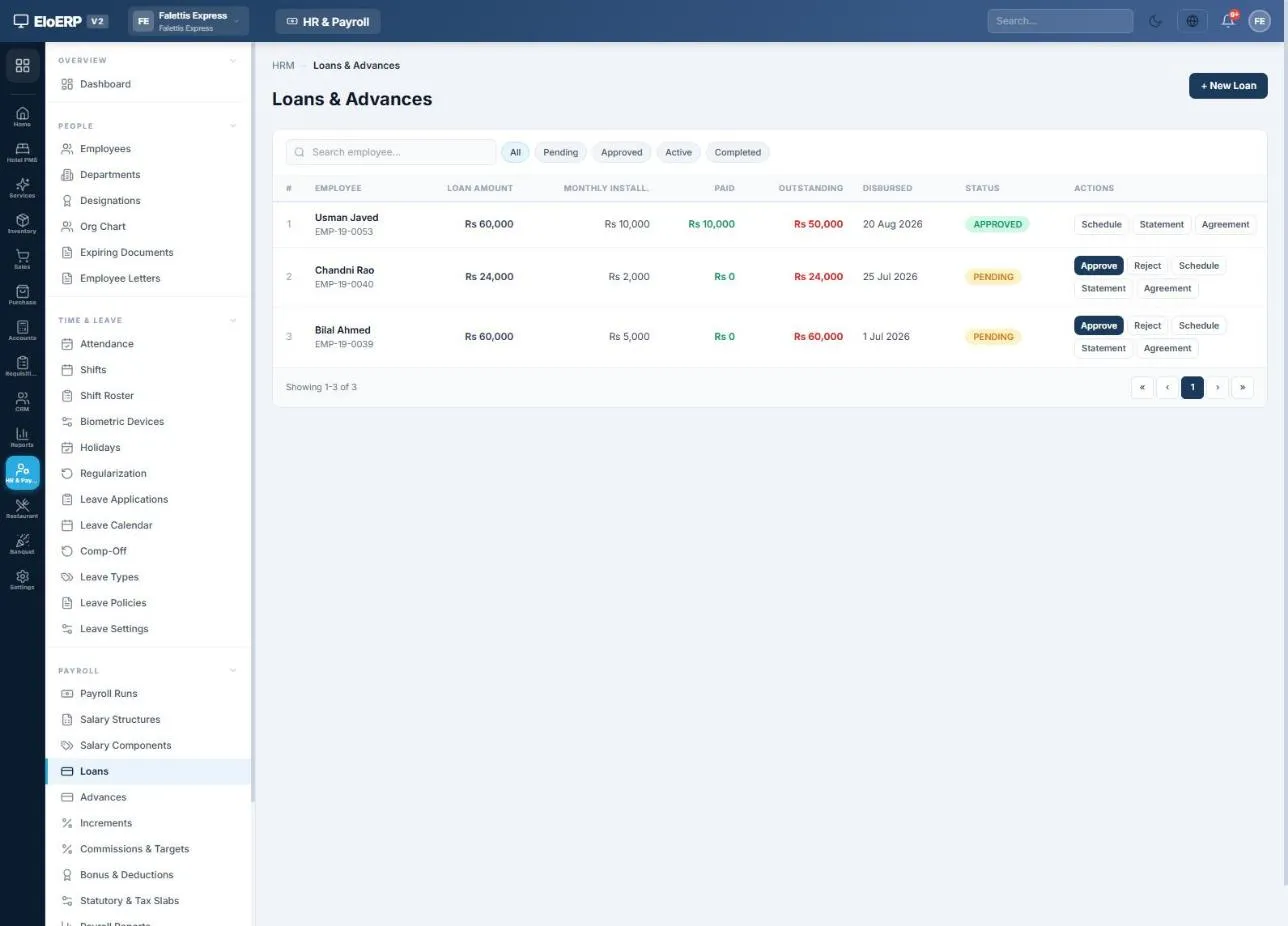
Loans: Rs 60,000 over six months, with the loan statement and agreement one click away.
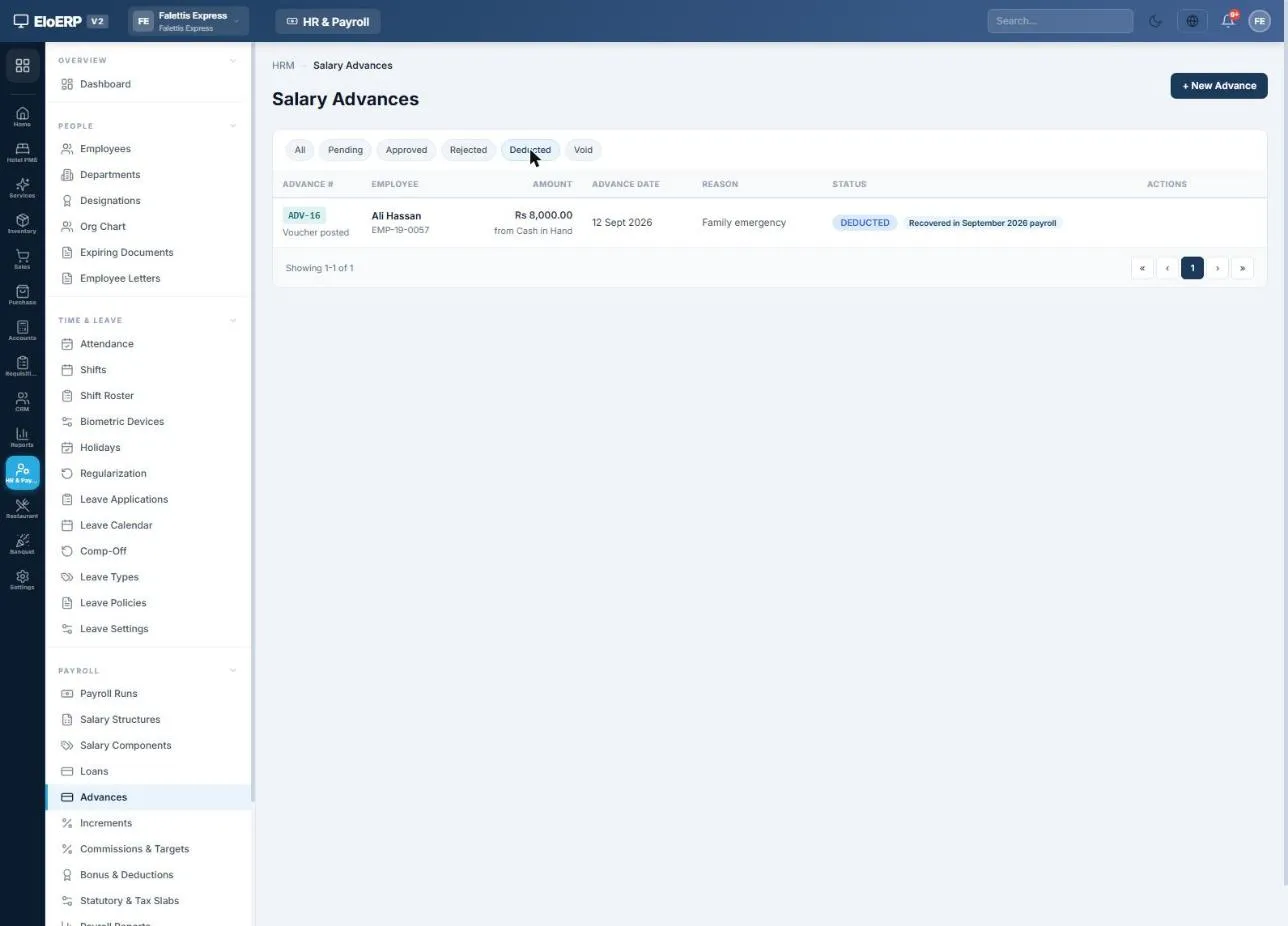
Advances: recovered in full from the next payroll, or carried over if the salary does not cover it.
Every payroll run posted to the hospital's own ledger
Press Post to Accounts and one balanced journal entry is posted for the month: salary expense, employer contributions, net pay owed to each employee, and the tax and contributions withheld. It lands in the same built-in general ledger that hospital billing posts to, so salary cost shows in the Profit & Loss next to the hospital's revenue.
- Each employee's own ledger, doctors included: loans paid out, salary owed, instalments recovered and salary paid, in one running statement.
- Pay salaries to everyone or one by one, from any bank or cash account, or download a bank bulk-transfer file (HBL, UBL and MCB formats).
- Withheld tax and contributions stay as liabilities until you deposit them; one payment voucher clears each.
| Account | Debit | Credit |
|---|---|---|
| Salaries & Wages | 906,000 | |
| Employer contributions (EOBI, PESSI) | 25,710 | |
| Employee ledgers and salaries payable (net pay) | 858,830 | |
| Income tax and contributions payable | 54,880 | |
| Loan and advance recovered | 18,000 |
A demo company's monthly run, summarised from its payroll voucher (931,710 each side).
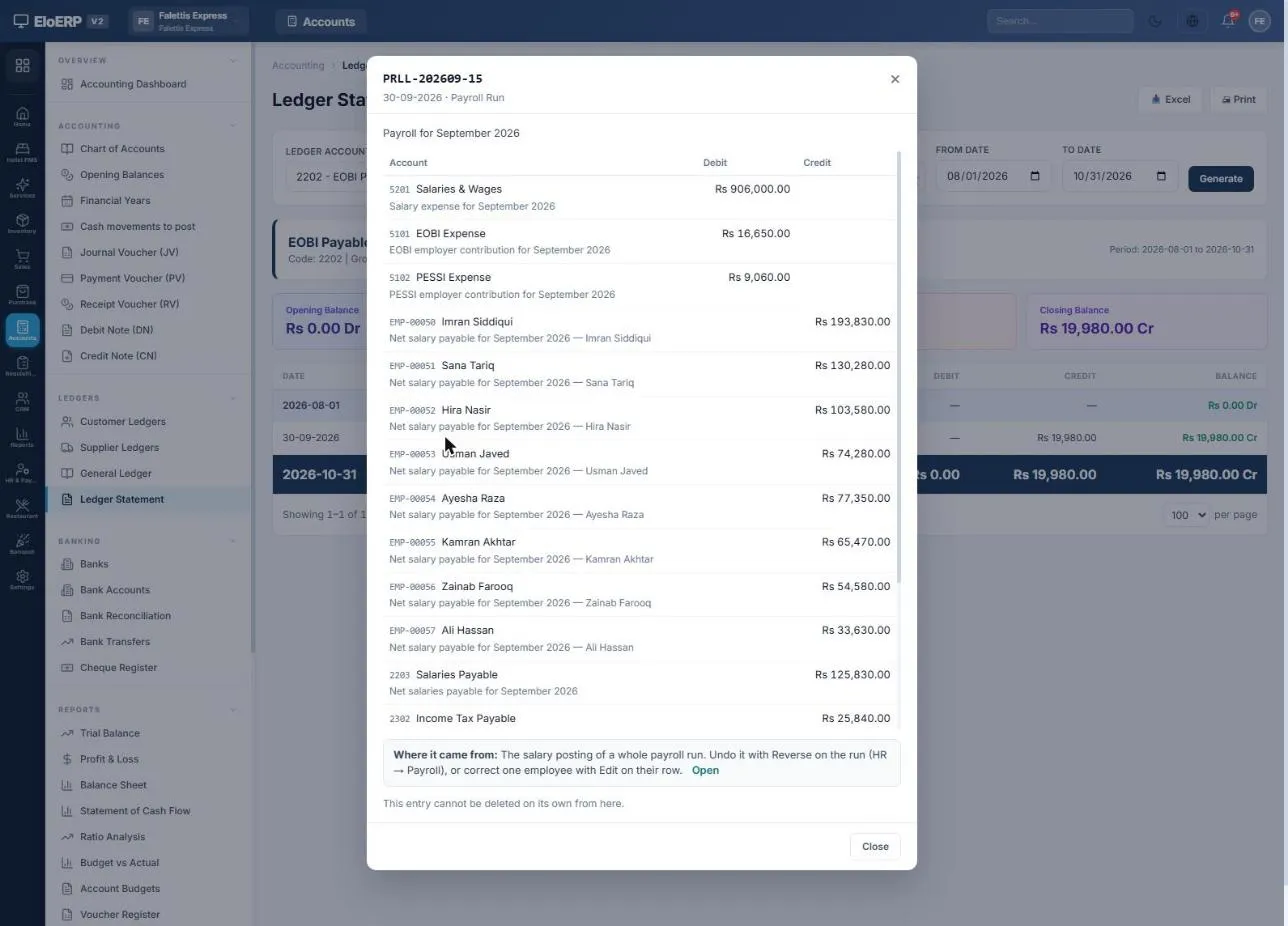
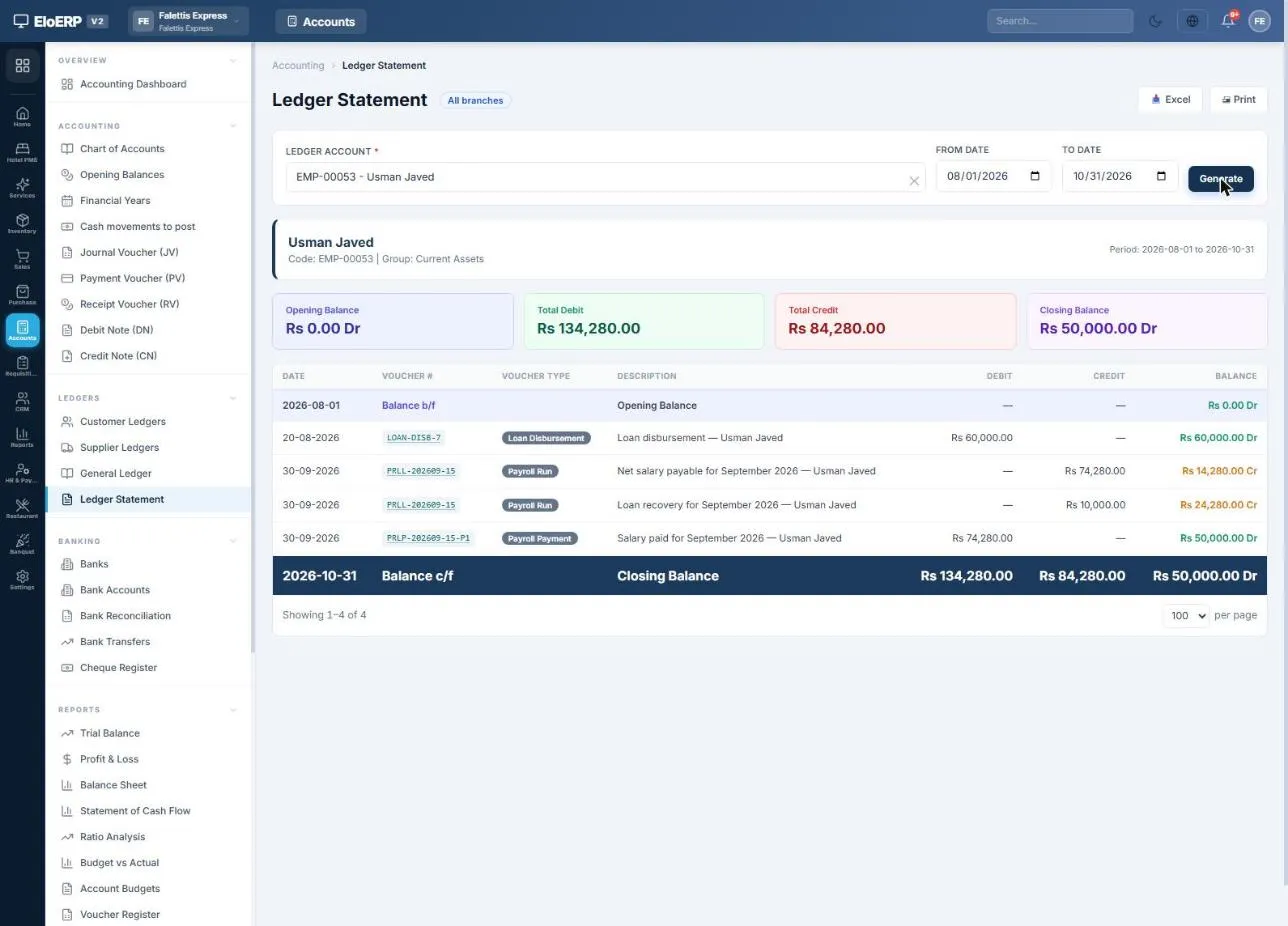
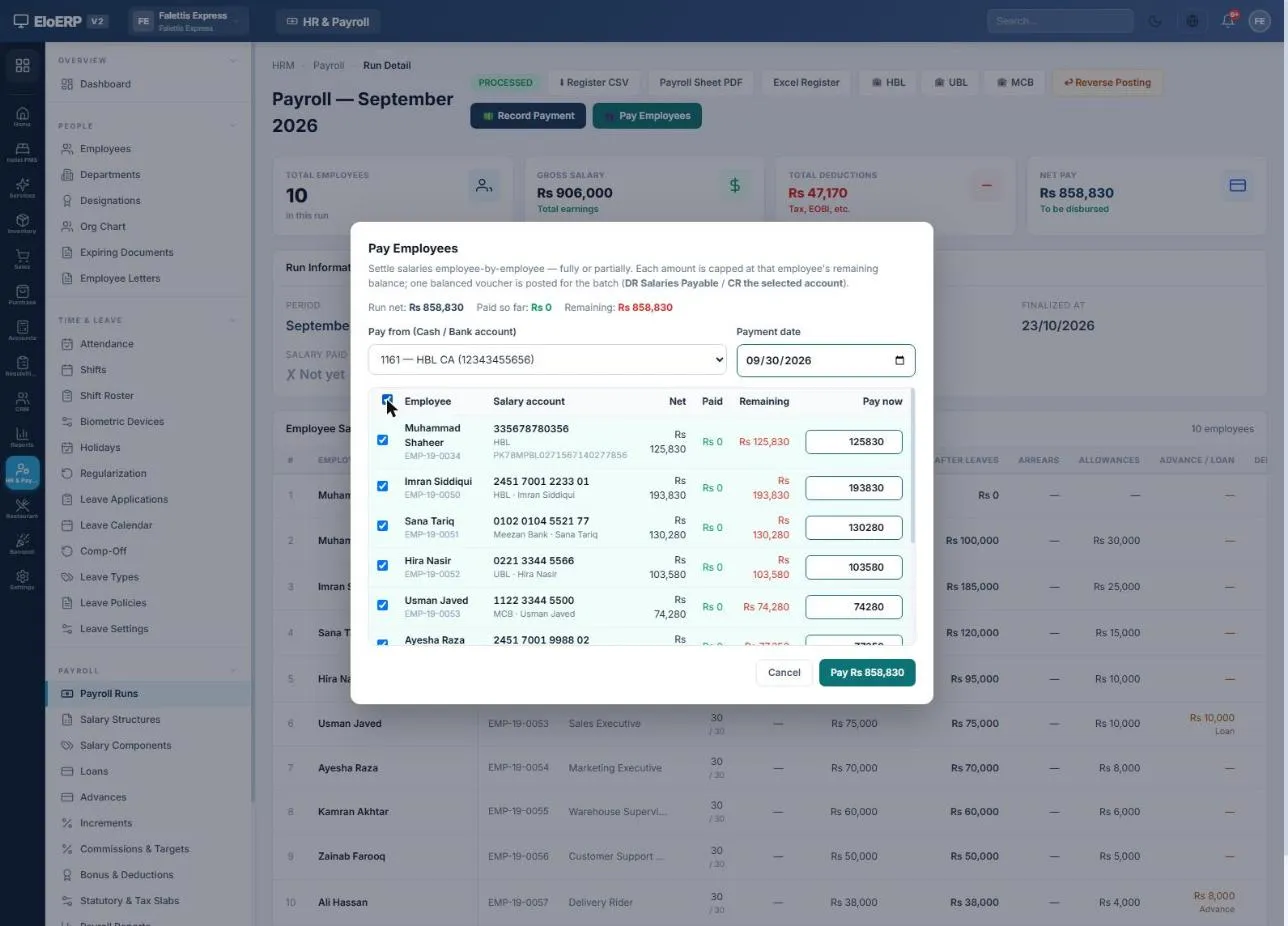
An employee's ledger statement, and paying the whole run from a bank account.
Salary register, tax statements and HR reports
Pick a report, choose the run or period, and export to PDF, Excel or CSV.
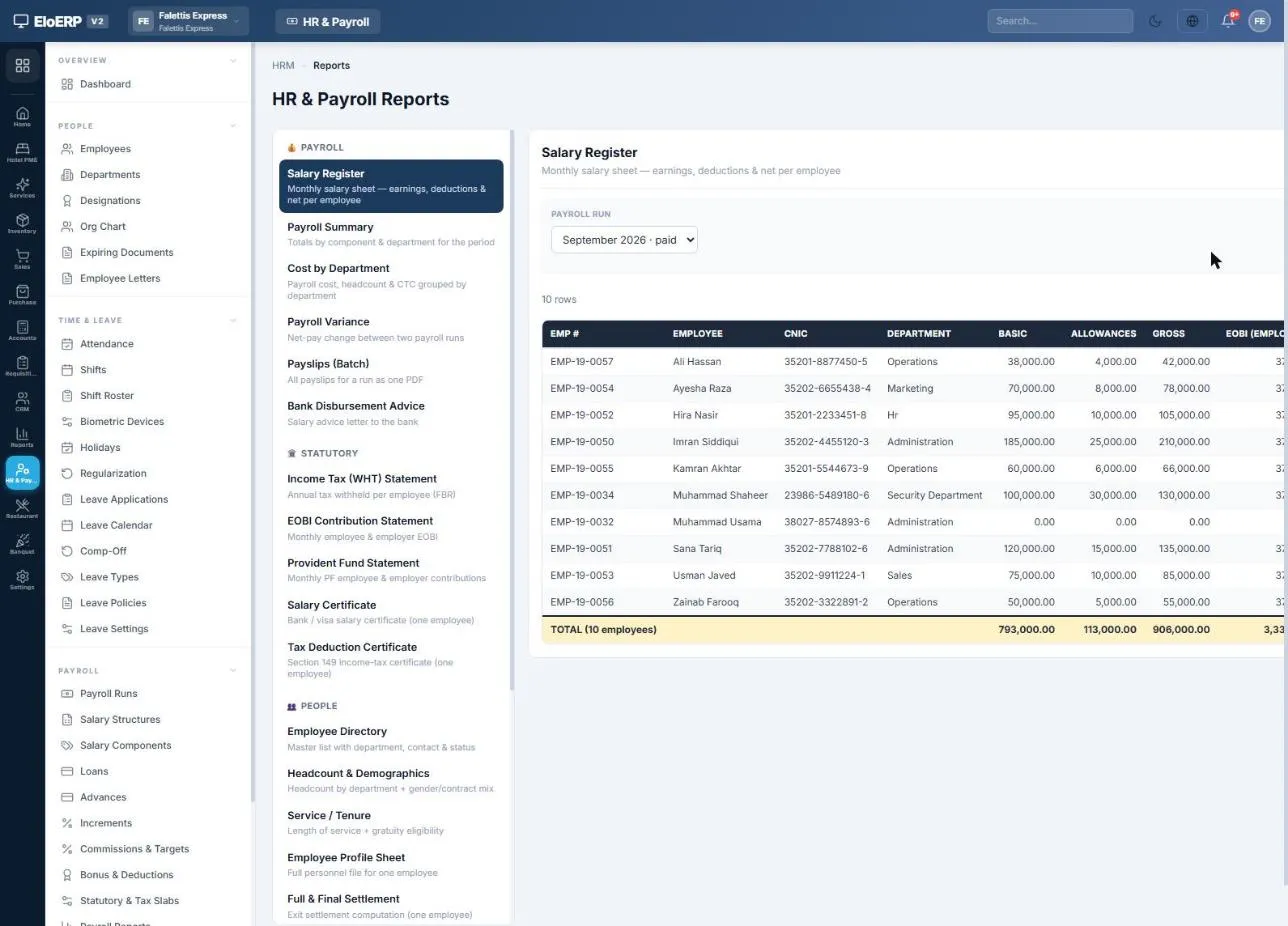
Salary register: the monthly salary sheet per employee.
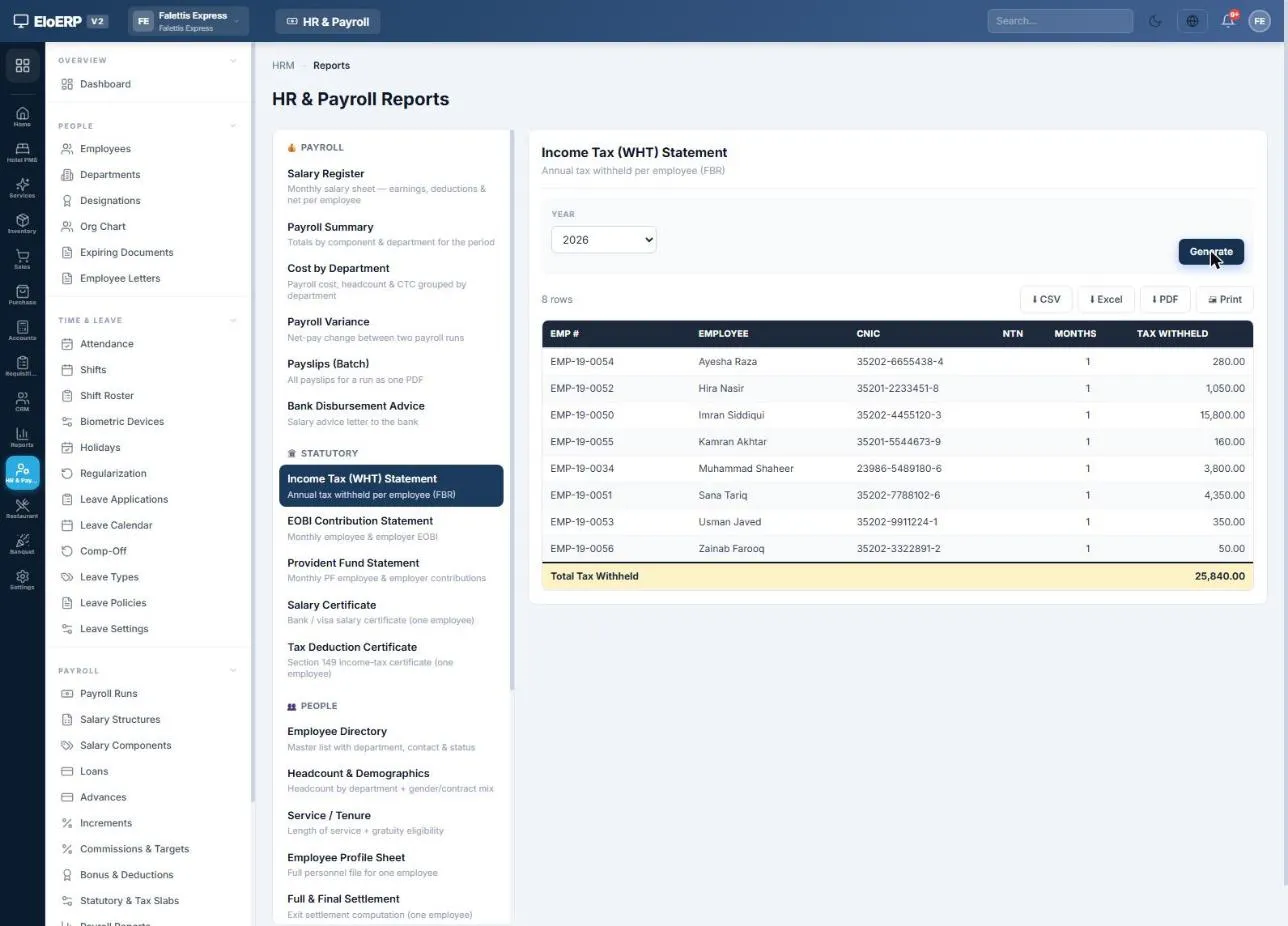
Income Tax (WHT) statement with CNIC and NTN per employee.
| Group | Reports |
|---|---|
| Payroll | Salary Register · Payroll Summary · Cost by Department · Payroll Variance · Payslips (Batch) · Bank Disbursement Advice |
| Statutory | Income Tax (WHT) Statement · WHT Return · EOBI Contribution Statement · Provident Fund Statement · Salary Certificate · Tax Deduction Certificate |
| People | Employee Directory · Headcount & Demographics · Service / Tenure · Employee Profile Sheet · Full & Final Settlement |
| Time & Leave | Attendance Register · Attendance Summary · Leave Balance · Leave Register |
| Loans | Loan & Advance Ledger · Document & Contract Expiry |
Corrections that leave a clean trail
How to run HR and payroll, step by step
The complete HR & Payroll guide, from one-time setup to the monthly checklist. Jump to a step:
Hospital HR & Payroll FAQs
Answers to the questions hospitals ask us most.
What does hospital HR and payroll software do?
It keeps the record of every doctor, nurse and staff member, with their attendance, shifts and leave, and turns them into a correct monthly payroll: salaries, absence deductions, overtime, income tax, EOBI and social security, loans and advances, then payslips and payment. In EloHIMS, HR & Payroll runs on the same Elo platform as the hospital system, so doctors are linked to their employee records, accrued doctor commission can be paid in the payroll run, and every run posts to the hospital's own general ledger.
Can a doctor be paid a salary, a commission or both?
Yes. Each doctor's record has a Paid by field: salary, commission or both. When a doctor is created, EloHIMS adds them to HR as an employee by default, with the designation Doctor, an HR department named after their first clinic and their own login linked; the step can be unticked. An existing doctor gets a Create employee button. These options appear where HR & Payroll is part of the hospital's plan.
How does doctor commission get into the payroll run?
Where the hospital accrues doctor commission on its bills, HR has a commission rule type called Hospital doctor commission. On the payroll run it picks up the doctor's accrued commission up to the month end, less any clawback from a voided bill that was already paid, and reserves those entries to the run so they cannot also be paid out directly. When the run is posted, the commission line clears the doctor commission payable instead of being booked as salary expense a second time, and the entries are marked paid.
Can doctors mark their own attendance?
Yes. A doctor whose login is linked to an employee record sees a Punch in button on My Day, which then shows the time on duty and a Punch out button. The punch runs through HR's own attendance rules, so late marking and the raw punch log work as they do for any other employee, and a doctor can only punch for themselves. Other staff can be marked daily or in bulk, imported from a CSV file or synced from a biometric device.
Does it calculate income tax, EOBI, PESSI and SESSI?
Yes. You enter the salaried income-tax slabs for the tax year once (for example 2025-26), and each payroll run annualises every employee's taxable pay, applies the slab and withholds one-twelfth. EOBI is worked out on gross pay up to the ceiling wage you set, with employee and employer percentages, and PESSI (Punjab) or SESSI (Sindh) is set up on the same screen. The rates are yours to maintain; EloHIMS applies what you enter.
Does payroll post to the hospital's accounts?
Yes. Posting a run creates one balanced journal entry: salary expense, employer contributions, net pay owed to each employee, and the tax and contributions withheld. It posts to the same general ledger that EloHIMS billing posts to, and every employee, doctors included, has their own ledger showing salary owed, loans paid out, instalments recovered and salary paid.
Can staff see their own payslips?
Yes. Every finalized run produces a salary slip for each employee, which can be downloaded as a PDF, printed or emailed. Employees with a login see their own slips, leave balances, attendance and loans in the My HR Portal, and a doctor's login reaches their employee record through the doctor record.
Is HR & Payroll part of every EloHIMS plan?
HR & Payroll is a module the hospital adds to its plan, and the doctor-to-employee link, commission through payroll and the My Day punch appear only where it is included. EloHIMS is quoted per hospital, by size and modules. Start a 15-day free trial, or book a demo for a quote.
Pay the whole hospital right, every month.
Doctors, nurses and staff, their attendance, commission and statutory deductions, on the same system that runs the hospital's books. Start with a 15-day free trial.